
Last updated: August 3, 2026
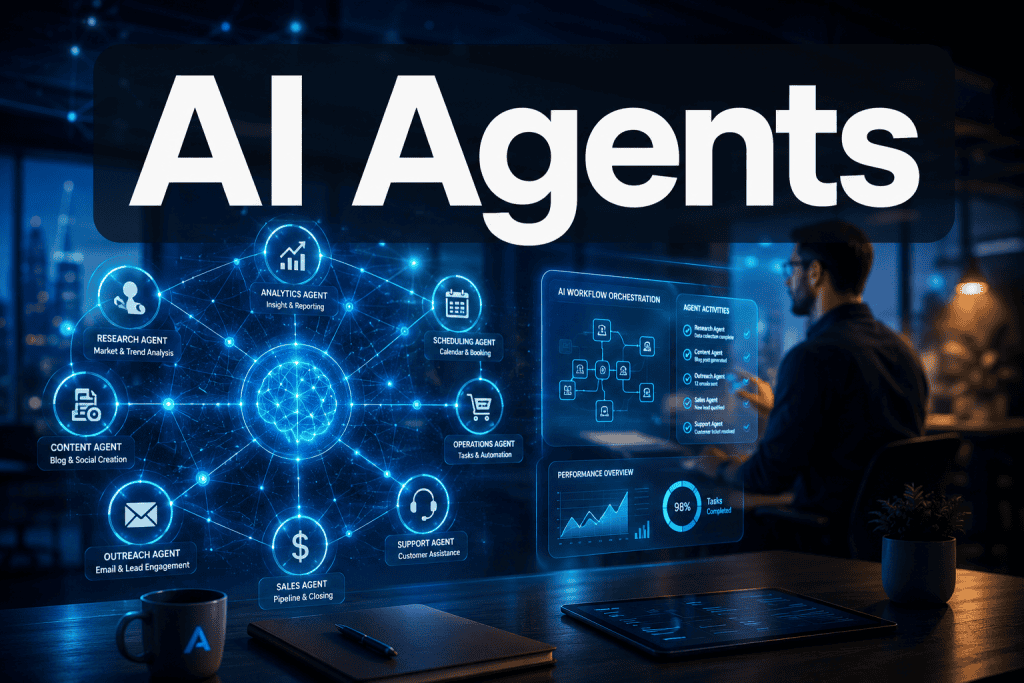
Quick Answer: AI agents are autonomous software systems that perceive their environment, make decisions, and complete multi-step tasks with minimal human input. Unlike standard AI tools that wait for your commands, AI agents act on your behalf, managing entire workflows from start to finish. In 2026, they are actively reshaping how small businesses, solopreneurs, and enterprise teams operate across every industry.
Key Takeaways
- AI agents differ from AI tools because they act autonomously across multi-step workflows, not just single tasks
- The shift from AI tools to AI agents means your digital back office, inbox, CRM, and dashboards can run largely on autopilot
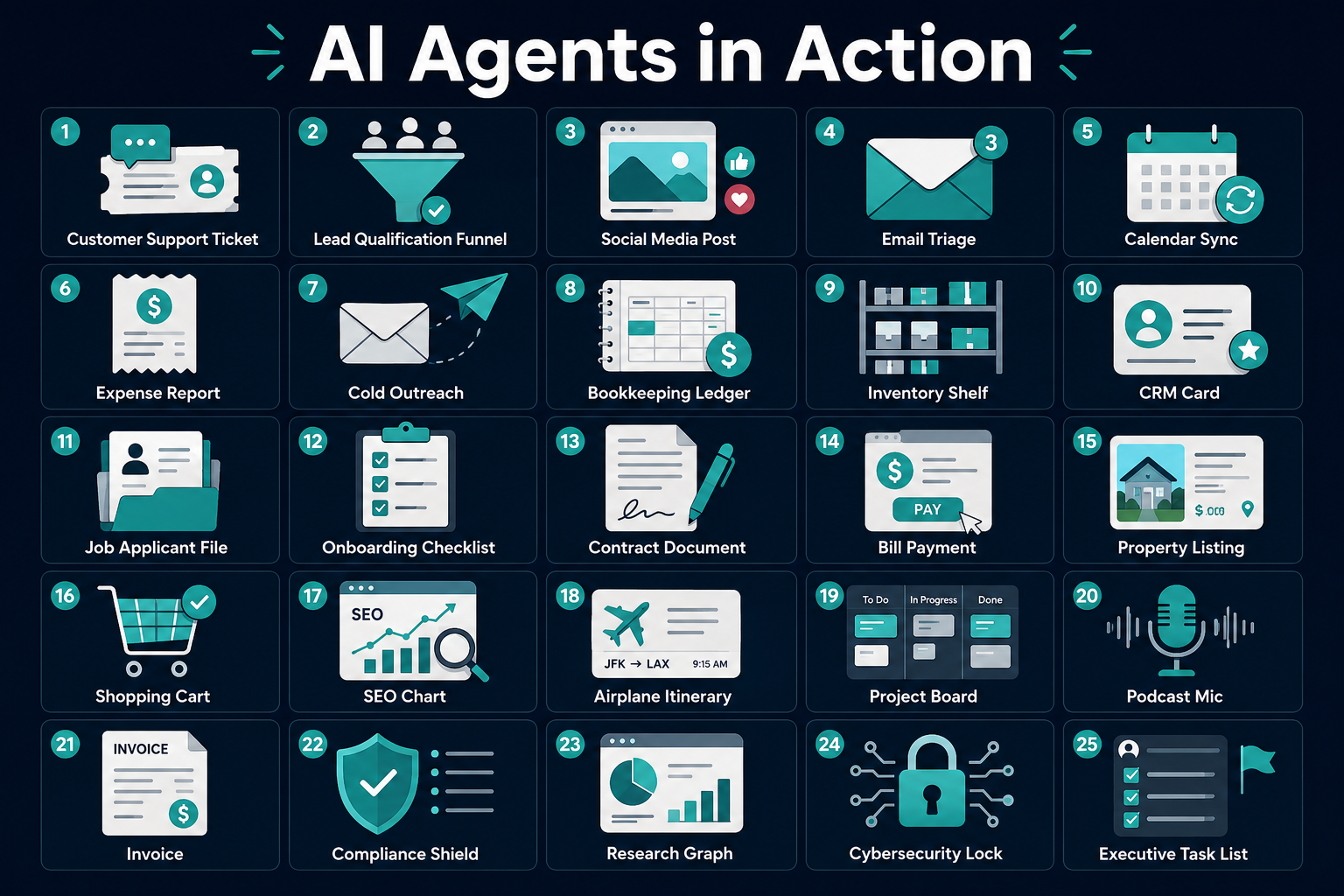
- 25 real-world use cases span customer support, sales, finance, HR, legal, real estate, e-commerce, and more
- Security is a real concern: according to TechRadar, 80% of Fortune 500 companies have deployed AI agents, yet only 14% have full security approval [4]
- Pricing models are evolving fast, with some platforms now charging only when an AI agent successfully resolves an issue [3]
- The best way to start is to pick one workflow, run one agent, and build from there
- Entrepreneurs who move first will compound advantages over those who wait
What Exactly Are AI Agents and How Do They Work?
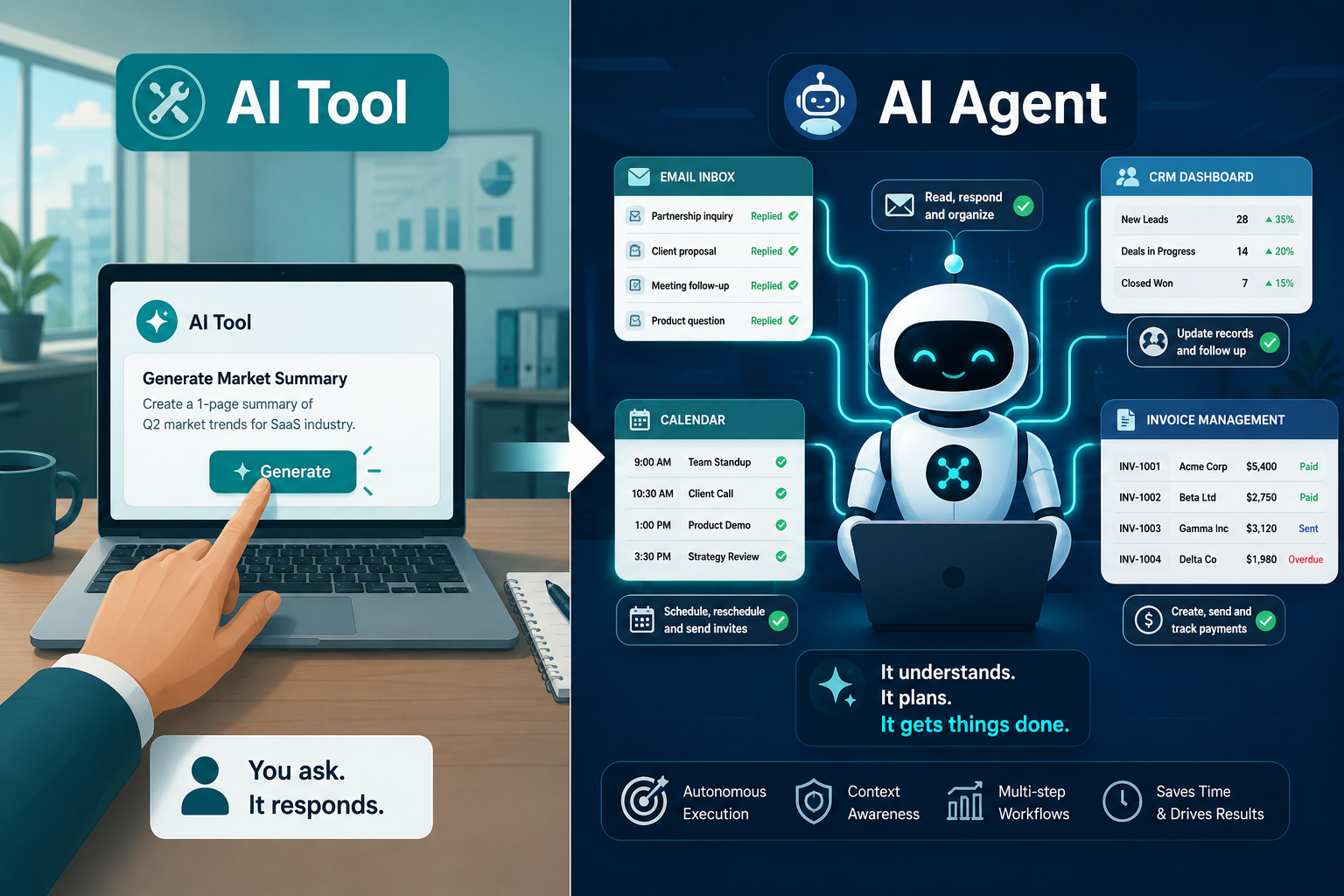
AI agents are autonomous software entities that perceive their environment, reason through a goal, plan a sequence of actions, and execute those actions without waiting for a human to approve each step. Think of them as digital workers that can read, decide, act, and report back.
Here is the simplest breakdown of how they work:
- Perception — The agent reads inputs from its environment (emails, databases, web pages, APIs, files)
- Reasoning — It decides what to do based on a goal you set
- Action — It executes tasks, which can include sending emails, updating records, browsing the web, or calling other software tools
- Feedback loop — It checks results and adjusts if something did not go as planned
A helpful way to picture this: a standard AI tool is like cruise control on a highway. You set the speed, but you still steer, brake, and make every turn. An AI agent is closer to a self-driving car. You tell it the destination, and it handles the route, the traffic, and the parking. You check in when you arrive.
Major platforms are already building this out at scale. OpenAI launched a general-purpose AI agent within ChatGPT that can manage calendars, generate presentations, and run code using plain-language prompts. [8] Notion released an AI agent that reads your workspace data and automatically creates notes, analyses, and dashboards while syncing with Slack and Google Drive. [9] Amazon previewed Kiro, an agent that can write and manage code autonomously for extended periods. [10]
How Are AI Agents Different from Chatbots?
Chatbots respond to questions. AI agents complete goals. That one sentence captures the core difference.
A chatbot sits and waits. You ask it something, it answers, and the conversation ends. An AI agent can initiate actions, chain multiple steps together, use external tools, and continue working after the conversation ends.
| Feature | Chatbot | AI Agent |
|---|---|---|
| Initiates actions | No | Yes |
| Multi-step workflows | Rarely | Core function |
| Uses external tools/APIs | Limited | Built-in |
| Operates without prompts | No | Yes |
| Remembers context across sessions | Sometimes | Often |
| Can self-correct | No | Yes |
The practical difference for a small business owner: a chatbot answers your customer's question about store hours. An AI agent answers the question, logs the interaction in your CRM, flags a follow-up if the customer sounded frustrated, and schedules a check-in email for three days later. All without you touching it.
Why the Difference Between AI Tools and AI Agents Matters for Business
Most business work today is digital knowledge work. It happens inside dashboards, inboxes, spreadsheets, CRMs, and project management tools. That is exactly where AI agents operate.
This is not about robots on a factory floor. The shift you will feel is in your back office, your sales pipeline, your customer support queue, and your content calendar. The work that used to require a full-time employee or a stack of manual processes can now be handled by an agent that works around the clock.
Zendesk, one of the world's largest customer service platforms, now charges customers only when an AI agent successfully resolves an interaction, tying cost directly to real business value. [3] That pricing model tells you everything about how confident the industry is in what these agents can actually do.
The Progression from Past to Future: The Overdue Invoice Example
Here is a concrete example that shows the three stages of how work gets done.
Scenario: A client has an overdue invoice.
Manual (Past)
- Someone notices the invoice is overdue while reviewing a spreadsheet
- They draft a follow-up email from scratch
- They send it, then manually update the CRM
- They set a calendar reminder to follow up again in a week
- If no response, they repeat the whole process
AI Tools (Present)
- A tool flags the overdue invoice automatically
- It suggests a follow-up email template
- You review it, edit it, approve it, and send it manually
- You still update the CRM yourself
AI Agent (Future)
- The agent detects the overdue invoice the moment it passes the due date
- It drafts and sends a personalized follow-up email based on the client's history
- It updates the CRM, logs the communication, and sets internal reminders
- If no payment arrives in five days, it escalates with a second message and notifies you
- You don't check in with it. It checks in with you.
That last line is the whole point. AI agents flip the dynamic. You become the decision-maker who reviews exceptions, not the person managing every step.
25 Real-World AI Agent Examples Reshaping Business
Buckle up. This is the section that will make everything click. Every example below follows the same three-stage format so you can see exactly where your business sits today and where it can go.
1. Customer Support Ticket Resolution
A customer submits a complaint and expects a fast, accurate response.
Manual (Past)
- Support rep reads each ticket individually
- Searches knowledge base for answers
- Types a custom response
- Escalates if needed
AI Tools (Present)
- Tool suggests a response based on ticket content
- Rep reviews, edits, and sends
AI Agent (Future)
- Agent reads the ticket, checks order history, drafts and sends a resolution
- Escalates complex issues to a human with full context attached
- Logs everything in the helpdesk and closes the ticket
- Zendesk's AI agents now operate across ChatGPT, Gemini, voice, and messaging apps for exactly this purpose [5]
Why this matters: faster resolution times without adding headcount.
2. Lead Qualification and Follow-Up
New leads come in from a website form, but most go cold before anyone follows up.
Manual (Past)
- Sales rep manually reviews each lead
- Scores them based on gut feel
- Sends a generic follow-up email days later
AI Tools (Present)
- CRM tool scores leads automatically
- Rep still writes and sends follow-up emails
AI Agent (Future)
- Agent scores the lead the moment it arrives
- Sends a personalized follow-up within minutes
- Books a discovery call if the lead engages
- Updates the CRM and notifies the sales rep only when the lead is warm
Why this matters: speed-to-lead is one of the biggest drivers of conversion, and agents never sleep.
3. Social Media Content Scheduling and Engagement
Staying consistent on social media is a full-time job for most solopreneurs.
Manual (Past)
- Write posts from scratch each week
- Manually schedule them across platforms
- Monitor comments and reply individually
AI Tools (Present)
- Tool suggests post ideas or captions
- Scheduling is semi-automated
- Engagement still requires manual attention
AI Agent (Future)
- Agent pulls from your content calendar, drafts posts, and schedules them
- Monitors comments and replies to common questions automatically
- Flags sensitive comments for human review
- Reports weekly performance and adjusts posting times based on engagement data
Why this matters: consistent presence without the daily time drain.
4. Email Inbox Triage and Response Drafting
The average professional spends over two hours a day managing email. That time adds up fast.
Manual (Past)
- Read every email manually
- Decide what needs a response, what can wait, what can be deleted
- Write responses one by one
AI Tools (Present)
- Tool suggests labels or draft replies
- Human still reviews and sends everything
AI Agent (Future)
- Agent reads, categorizes, and prioritizes your inbox every morning
- Drafts responses for routine emails and sends them with your approval rules set in advance
- Flags urgent items and surfaces them immediately
- Unsubscribes from newsletters you never open
Why this matters: your inbox becomes a curated action list, not a fire drill.
5. Calendar and Meeting Coordination
Scheduling back-and-forth is one of the most time-wasting activities in business.
Manual (Past)
- Email chains to find a meeting time
- Manual calendar blocking
- Sending reminders yourself
AI Tools (Present)
- Scheduling tools like Calendly automate booking
- Reminders are automated but static
AI Agent (Future)
- Agent manages your entire calendar based on your priorities
- Reschedules conflicts proactively
- Preps meeting briefs by pulling context from your CRM and email history
- Sends personalized reminders and follow-up summaries after each meeting
Why this matters: you show up to meetings prepared, not just present.
6. Expense Report Processing and Approval
Expense reports are tedious, error-prone, and universally disliked.
Manual (Past)
- Employees collect receipts, fill out spreadsheets, and submit reports
- Managers review line by line and approve or reject
AI Tools (Present)
- Receipt scanning tools auto-populate fields
- Approval workflows are partially automated
AI Agent (Future)
- Agent captures receipts in real time via email or photo
- Categorizes expenses, checks against policy, and flags violations
- Routes for approval automatically and posts approved expenses to accounting software
- Generates monthly spend reports without anyone asking
Why this matters: finance teams get hours back every week, and errors drop significantly.
7. Cold Outbound Prospecting
Building a cold outreach pipeline manually is exhausting and inconsistent.
Manual (Past)
- Research prospects one by one
- Write personalized emails from scratch
- Track responses in a spreadsheet
AI Tools (Present)
- Tools pull prospect data and suggest email templates
- Sequences are partially automated
AI Agent (Future)
- Agent researches prospects, identifies best-fit leads, and writes personalized outreach
- Sends emails, tracks opens and replies, and follows up on schedule
- Updates the CRM with every interaction and surfaces hot prospects for human follow-up
Why this matters: a solopreneur can run a prospecting operation that once required a full sales team.
8. Bookkeeping and Transaction Categorization
Keeping books accurate and current is a constant struggle for small business owners.
Manual (Past)
- Download bank statements monthly
- Manually categorize every transaction
- Reconcile accounts before sending to an accountant
AI Tools (Present)
- Tools like QuickBooks suggest categories automatically
- Human still reviews and confirms each one
AI Agent (Future)
- Agent connects to bank feeds and categorizes transactions in real time
- Flags unusual charges and potential errors
- Reconciles accounts automatically and prepares a monthly summary
- Alerts you if cash flow drops below a threshold you set
Why this matters: you always know where your money stands without having to touch a spreadsheet.
9. Inventory Monitoring and Reordering
Running out of stock or over-ordering kills margins for product-based businesses.
Manual (Past)
- Check inventory counts manually or weekly
- Place reorders based on gut feel or past patterns
AI Tools (Present)
- Inventory tools send low-stock alerts
- Reordering still requires human action
AI Agent (Future)
- Agent monitors inventory levels continuously
- Predicts demand based on sales trends and seasonality
- Places reorders automatically with approved suppliers
- Adjusts par levels based on lead times and upcoming promotions
Why this matters: stockouts and overstock become rare exceptions, not regular headaches.
10. Website Lead Capture and CRM Updates
Every website visitor who leaves without being captured is a missed opportunity.
Manual (Past)
- Review form submissions manually
- Copy data into CRM by hand
- Assign leads to sales reps manually
AI Tools (Present)
- Forms auto-populate CRM fields
- Basic lead routing is automated
AI Agent (Future)
- Agent captures lead data, enriches it with public information, and scores the lead
- Assigns it to the right sales rep based on territory or specialty
- Sends a personalized welcome email within seconds
- Books a discovery call if the lead's behavior signals high intent
Why this matters: no lead falls through the cracks, and response time drops from hours to seconds.
11. Job Applicant Screening and Outreach
Hiring is time-consuming, and most of the early screening work is repetitive.
Manual (Past)
- Read every resume manually
- Send rejection or interview emails one by one
- Schedule interviews through email chains
AI Tools (Present)
- ATS tools filter resumes by keyword
- Templates speed up communication
AI Agent (Future)
- Agent screens resumes against your defined criteria
- Sends personalized outreach to qualified candidates
- Schedules interviews automatically and sends reminders
- Flags top candidates with a summary of their strongest qualifications
Why this matters: you spend your time interviewing great candidates, not sorting through hundreds of resumes.
12. Employee Onboarding Workflows
A poor onboarding experience costs businesses in retention and productivity.
Manual (Past)
- HR manually sends welcome emails, forms, and training materials
- Managers track completion through spreadsheets
AI Tools (Present)
- Onboarding platforms automate document delivery
- Progress tracking is partially automated
AI Agent (Future)
- Agent triggers the full onboarding sequence the moment a new hire is added to the system
- Sends personalized welcome messages, training links, and check-in prompts on schedule
- Tracks completion and nudges new hires who fall behind
- Alerts the manager only if something requires human attention
Why this matters: every new hire gets a consistent, professional experience without HR lifting a finger.
13. Contract Review and Red Flag Detection
Missing a bad clause in a contract can cost a business thousands of dollars.
Manual (Past)
- Lawyer or business owner reads every contract manually
- Red flags are caught only if the reader knows what to look for
AI Tools (Present)
- Tools highlight unusual clauses and suggest edits
- Human still reviews the full document
AI Agent (Future)
- Agent reads the contract, identifies non-standard terms, and flags high-risk clauses
- Compares terms against your standard agreement template
- Summarizes key dates, obligations, and renewal terms
- Routes to legal counsel only when the risk level exceeds your defined threshold
Why this matters: you catch problems before you sign, not after.
14. Personal Finance and Bill Payment Monitoring
Missing a bill payment or overspending in a category happens when no one is watching.
Manual (Past)
- Check bank accounts and credit cards manually
- Set calendar reminders for bill due dates
AI Tools (Present)
- Apps like Mint or YNAB categorize spending and send alerts
- Payments still require manual action
AI Agent (Future)
- Agent monitors all accounts continuously
- Pays recurring bills automatically within rules you set
- Alerts you when a charge looks unusual or a subscription renews unexpectedly
- Provides a weekly financial health summary without you asking
Why this matters: financial awareness becomes automatic, not something you have to schedule.
15. Real Estate Property Listing Management
Managing multiple listings across platforms is a logistical challenge for agents and investors.
Manual (Past)
- Update each listing platform manually
- Track inquiries through separate inboxes
- Schedule showings through phone and email
AI Tools (Present)
- Listing syndication tools push updates to multiple platforms
- Inquiry management is partially centralized
AI Agent (Future)
- Agent updates all listing platforms simultaneously when details change
- Responds to inquiries instantly with property details and availability
- Schedules showings and sends confirmations automatically
- Flags price reduction opportunities based on days on market and comparable sales
Why this matters: a solo real estate agent can manage a portfolio that once required a full team.
16. E-Commerce Abandoned Cart Recovery
Roughly 70% of online shopping carts are abandoned before checkout (an industry estimate based on widely reported e-commerce data).
Manual (Past)
- Send a single generic abandoned cart email manually or through a basic automation
AI Tools (Present)
- Email platforms send automated abandoned cart sequences
- Timing and content are static for all customers
AI Agent (Future)
- Agent identifies the abandonment, checks the customer's purchase history, and personalizes the recovery message
- Adjusts the offer (discount, free shipping, urgency) based on the customer's behavior patterns
- Follows up across email, SMS, and retargeting ads in a coordinated sequence
- Reports recovery rates and continuously improves the approach
Why this matters: recovering even a small percentage of abandoned carts can significantly boost monthly revenue.
17. SEO Content Briefs and Competitor Monitoring
Staying on top of search rankings requires constant attention most business owners cannot afford to give.
Manual (Past)
- Research keywords manually using tools
- Write content briefs from scratch
- Check competitor rankings periodically
AI Tools (Present)
- SEO tools generate keyword data and basic briefs
- Monitoring requires manual check-ins
AI Agent (Future)
- Agent monitors your target keywords daily and alerts you to ranking changes
- Tracks competitor content and flags new topics they are targeting
- Generates full content briefs with keyword targets, structure, and competitive gaps
- Recommends content updates when existing pages start to slip in rankings
Why this matters: you stop reacting to SEO and start staying ahead of the curve.
18. Travel Booking and Itinerary Management
Business travel planning is a time sink that pulls professionals away from actual work.
Manual (Past)
- Search flights, hotels, and ground transport separately
- Build itineraries manually in a document
AI Tools (Present)
- Travel platforms aggregate options and suggest itineraries
- Booking still requires human confirmation at each step
AI Agent (Future)
- Agent books the full trip based on your preferences and budget rules
- Monitors for price drops or schedule changes and adjusts automatically
- Builds a day-by-day itinerary with confirmations, addresses, and meeting context
- Sends real-time travel alerts and rebooking options if disruptions occur
Why this matters: business travel becomes a briefing you receive, not a project you manage.
19. Project Management Updates and Status Reports
Keeping stakeholders informed without constant manual updates is a universal challenge.
Manual (Past)
- Project manager compiles status updates from team members
- Writes and sends reports manually each week
AI Tools (Present)
- Project tools track tasks and generate basic progress views
- Status reports still require human writing and distribution
AI Agent (Future)
- Agent pulls task completion data across your project tools
- Writes a clear status report and distributes it to stakeholders automatically
- Flags delayed tasks and suggests timeline adjustments
- Sends individual nudges to team members who are behind on deliverables
Why this matters: everyone stays informed without the project manager becoming a full-time reporter.
20. Podcast and YouTube Content Repurposing
Creating one piece of content and publishing it once is leaving reach on the table.
Manual (Past)
- Manually transcribe audio or video
- Write show notes, social clips, and blog posts from scratch
AI Tools (Present)
- Transcription tools generate rough transcripts
- Content repurposing still requires significant manual editing
AI Agent (Future)
- Agent transcribes the episode, identifies key moments, and creates show notes, a blog post, social media clips, and email newsletter content automatically
- Schedules each asset across platforms on the optimal posting schedule
- Tracks which clips perform best and recommends future content angles
Why this matters: one recording session produces a week's worth of content across every channel.
21. Client Invoicing and Payment Collection
Late payments are among the top cash-flow killers for small businesses and freelancers.
Manual (Past)
- Create invoices manually in a tool
- Send follow-up emails when payment is overdue
- Track payment status in a spreadsheet
AI Tools (Present)
- Invoicing tools automate creation and send reminders on a schedule
- Escalation still requires human judgment
AI Agent (Future)
- Agent generates and sends invoices automatically when a project milestone is hit
- Monitors payment status and sends personalized follow-ups based on the client's history
- Escalates overdue accounts with increasing urgency and flags them for human review
- Reconciles payments in your accounting software the moment they clear
Why this matters: getting paid on time stops being a task you manage and becomes a system that runs on its own.
22. Compliance Monitoring and Document Filing
Regulatory requirements change, deadlines sneak up, and missing them carries real penalties.
Manual (Past)
- Track compliance deadlines manually in a calendar
- Gather and file documents by hand before each deadline
AI Tools (Present)
- Compliance tools send deadline reminders and store documents
- Filing and verification still require human action
AI Agent (Future)
- Agent monitors regulatory changes relevant to your industry
- Gathers required documents, checks them for completeness, and files them before deadlines
- Alerts you to new requirements and updates your compliance calendar automatically
- Generates audit-ready reports on demand
Why this matters: compliance stops being a last-minute scramble and becomes a background process.
23. Market Research and Competitive Intelligence
Understanding your market is critical, but gathering the data takes time most owners do not have.
Manual (Past)
- Search for competitor updates manually
- Read industry reports and summarize findings yourself
AI Tools (Present)
- Tools aggregate news and competitor data
- Analysis and synthesis still require human effort
AI Agent (Future)
- Agent monitors competitors, industry news, and customer sentiment continuously
- Summarizes key developments in a weekly briefing delivered to your inbox
- Flags emerging trends and suggests strategic responses
- Tracks pricing changes across competitors and alerts you when gaps appear
Why this matters: you make faster, better-informed decisions without spending hours on research.
24. Cybersecurity Threat Monitoring and Response
Cyber threats do not wait for business hours, and most small businesses cannot afford a full security team.
Manual (Past)
- IT staff monitor logs manually and respond to alerts as they arise
- Threat response is slow and reactive
AI Tools (Present)
- Security tools detect anomalies and send alerts
- Human investigation and response are still required for most threats
AI Agent (Future)
- Agent monitors network activity and user behavior continuously
- Detects anomalies, investigates automatically, and isolates threats before they spread
- Notifies the appropriate team member with a full incident summary
- Logs all activity for compliance and post-incident review
This is an area where the stakes are high. A TechRadar report found that 80% of Fortune 500 companies have deployed AI agents, but only 14% have secured full security approval, underscoring the need for security infrastructure to keep pace with agent deployment. [4]
Why this matters: your business gets enterprise-level threat detection without an enterprise-level security budget.
25. Personal Executive Assistant Tasks for Solopreneurs
Running a solo business means wearing every hat. An AI agent can wear several of them for you.
Manual (Past)
- Handle every administrative task personally
- Research, draft, schedule, and track everything yourself
AI Tools (Present)
- Individual tools handle specific tasks (scheduling, drafting, research)
- Switching between tools and connecting outputs is still manual
AI Agent (Future)
- Agent manages your daily briefing, prioritizes your task list, and drafts communications
- Books meetings, researches contacts before calls, and follows up after
- Monitors your goals and surfaces the most important actions each morning
- Acts as the connective tissue across all your other tools, keeping everything in sync
Why this matters: solopreneurs can operate with the output of a small team without the payroll.
What This Means for You: How to Prepare
The future is here, and the good news is that you do not need to overhaul everything at once.
Here is the practical path forward:
- Pick one workflow that is repetitive, time-consuming, and clearly defined. The 25 examples above are a great starting point.
- Start with the tools you already have. Many platforms you use today (CRMs, email tools, project managers) are adding agent capabilities.
- Set clear rules and guardrails. Tell the agent what it can do automatically and what requires your approval. Start conservative and expand as you build trust.
- Measure the time saved. Track how many hours the agent handles in the first 30 days. That number will tell you exactly where to deploy the next one.
- Layer agents gradually. As you add more, they begin to work together, creating compound efficiency across your entire operation.
The entrepreneurs who move first will not just save time. They will build systems that grow without proportional increases in cost or effort. That is the real advantage.
Conclusion: AI Agents Are Your Next Competitive Advantage
AI agents are not a distant technology. They are running inside the platforms you already use, handling tasks that used to require human attention at every step. The shift from AI tools to AI agents is the difference between having a helpful assistant who waits for instructions and having a capable operator who manages entire workflows while you focus on what only you can do.
Whether you are a solopreneur managing everything solo, a small business owner with a lean team, or a professional looking to get more done in less time, AI agents give you a way to scale your output without scaling your hours.
The 25 examples in this article are just the beginning. Every industry, every role, and every workflow has a version of this story waiting to be written for your business.
Get ready for a thrilling ride.
To your success,
Perry Hampton, CEO and Founder, Hampton Network LLC
Ready to take the next step? Visit hamptonnetwork.com to book a consultation, explore our AI education resources, or join one of our upcoming workshops. Let's build your AI-powered business together.
Frequently Asked Questions About AI Agents
Q: Do AI agents require coding skills to set up? A: Most consumer and small business AI agent platforms require no coding. You set goals and rules in plain language, and the agent handles the rest. Technical setups exist for advanced use cases, but the barrier to entry for non-technical users is lower than ever in 2026.
Q: How much do AI agents cost right now? A: Pricing varies widely. Some platforms charge a flat monthly subscription fee ranging from $20 to $100 per month. Others, like Zendesk, now charge based on verified outcomes, meaning you pay only when the agent successfully resolves an issue. [3] Enterprise-grade deployments can cost significantly more depending on usage volume.
Q: Can AI agents replace human workers? A: AI agents handle repetitive, rule-based, and data-intensive tasks well. They do not replace human judgment, creativity, relationship-building, or complex decision-making. The most effective setups use agents to handle the routine work so humans can focus on higher-value activities. Research from the AgentDS benchmark confirms that the best outcomes come from human-AI collaboration, not full replacement.
Q: Are AI agents safe and secure to use? A: Security is a real and active concern. Traditional security models were not built for autonomous agents that access multiple systems simultaneously. [4] Best practices include limiting agent permissions to only what they need, auditing agent activity logs regularly, and choosing platforms with strong data governance policies. Start with lower-risk workflows while you build familiarity.
Q: What kinds of companies should NOT use AI agents yet? A: Businesses with highly regulated data environments (certain healthcare or legal settings) should proceed carefully until their compliance and security infrastructure catches up. Very small operations with no defined processes may also struggle, since agents work best when there is a clear workflow to automate. If your processes are not documented, document them first.
Q: How do AI agents learn and improve over time? A: Most AI agents improve through a combination of feedback loops, usage data, and updates to the underlying AI model. Some platforms let you correct agent outputs, which trains the system to make better decisions for your specific context. Others automatically improve as the provider updates the base model.
Q: What are the biggest limitations of current AI agent technology? A: Current agents can struggle with ambiguous instructions, highly specialized domain knowledge, and tasks that require genuine human empathy or nuanced judgment. They also consume significant computational resources, which is driving a major rethink of cost structures across the industry. [7] Hallucination (confidently producing incorrect outputs) remains a risk, which is why human review checkpoints matter.
Q: How do I set up an AI agent for my workflow? A: Start by choosing a platform that integrates with tools you already use (your CRM, email, or project management software). Define the goal clearly, set the rules for what the agent can do autonomously versus what needs your approval, run a test on a low-stakes workflow, and review the results after two weeks before expanding.
Q: What are the best AI agents for small business right now? A: In 2026, strong options include OpenAI's agent inside ChatGPT for general tasks [8], Notion's agent for knowledge work and data analysis [9], and Zendesk's AI agents for customer support across multiple channels. [5] The best choice depends on your specific workflow and the tools you already use.
Q: Which industries are using AI agents most effectively? A: Customer service, sales, finance, real estate, e-commerce, and content creation are seeing the fastest adoption. Healthcare, legal, and highly regulated industries are moving more cautiously but are actively piloting agent-based workflows in lower-risk areas.
References
[1] AI Agents – https://www.techtarget.com/searchenterpriseai/definition/AI-agents?utm_source=openai
[2] Zendesk Becomes The Latest To Adopt MCP To Futureproof Customers In The AI First Era – https://www.techradar.com/pro/zendesk-becomes-the-latest-to-adopt-mcp-to-futureproof-customers-in-the-ai-first-era?utm_source=openai
[3] Zendesk Links AI Pricing To Verified Resolution Outcomes – https://www.techradar.com/pro/zendesk-links-ai-pricing-to-verified-resolution-outcomes?utm_source=openai
[4] How AI Agents Are Wrecking Havoc In Legacy Security Setups And Enterprises Are Catching Up – https://www.techradar.com/pro/how-ai-agents-are-wrecking-havoc-in-legacy-security-setups-and-enterprises-are-catching-up?utm_source=openai
[5] Zendesk Expands AI Agents Across ChatGPT Gemini Voice And Messaging – https://www.techradar.com/pro/zendesk-expands-ai-agents-across-chatgpt-gemini-voice-and-messaging?utm_source=openai
[6] Google Adds AI To The Search Box – https://www.itpro.com/technology/artificial-intelligence/google-adds-ai-to-the-search-box?utm_source=openai
[7] Dell Technologies World 2026 Agents Hardware And Tokenomics – https://www.itpro.com/technology/artificial-intelligence/dell-technologies-world-2026-agents-hardware-and-tokenomics?utm_source=openai
[8] OpenAI Launches A General Purpose Agent In ChatGPT – https://techcrunch.com/2025/07/17/openai-launches-a-general-purpose-agent-in-chatgpt/?utm_source=openai
[9] Notion Launches Agents For Data Analysis And Task Automation – https://techcrunch.com/2025/09/18/notion-launches-agents-for-data-analysis-and-task-automation?utm_source=openai
[10] Amazon Previews 3 AI Agents Including Kiro That Can Code On Its Own For Days – https://techcrunch.com/2025/12/02/amazon-previews-3-ai-agents-including-kiro-that-can-code-on-its-own-for-days/?utm_source=openai
Deliverables
Meta Description
AI agents go beyond chatbots to run entire workflows autonomously. Discover what they are, how they work, and 25 real-world examples for your business in 2026.
(159 characters)
5 Suggested H1 Title Variations
- AI Agents: What They Are, Why They Matter, and 25 Real-World Examples Reshaping Business
- AI Agents Explained: 25 Practical Examples Every Small Business Owner Needs to See in 2026
- What Are AI Agents? The Complete Guide for Entrepreneurs and Solopreneurs
- AI Agents vs AI Tools: The Difference That Will Define Your Business in 2026
- 25 Real-World AI Agent Examples That Show Exactly How Autonomous AI Works for Business
5 to 7 Internal Link Anchor Text Ideas
- “how to choose the right AI tools for your small business”
- “AI workflow automation for solopreneurs”
- “getting started with AI in your business”
- “AI tools vs AI agents: a side-by-side comparison”
- “how to automate your sales follow-up with AI”
- “AI for small business owners: a beginner's guide”
- “what is autonomous AI and why does it matter for entrepreneurs”
3 Suggested Featured Image Concepts
The Three-Stage Workflow Diagram — A clean, side-by-side visual showing Manual, AI Tool, and AI Agent stages for a single workflow (like the overdue invoice example). Uses a timeline arrow with icons at each stage. Color palette: navy, teal, white.
The Agent at Work — A stylized illustration of a digital agent (represented as a glowing node or humanoid icon) sitting at the center of a web of connected business tools: email, CRM, calendar, invoicing, social media. Each tool is connected by glowing lines showing active data flow.
The 25 Use Cases Grid — A bold infographic-style image showing all 25 use case categories as labeled icons arranged in a 5×5 grid. Clean flat design with teal accents on a dark background. Title text: “25 Ways AI Agents Work for Your Business.”
5 Social Media Teaser Captions
X (formerly Twitter) Your inbox, CRM, invoices, and sales pipeline can all run on autopilot. AI agents are not the future. They're the present. Here are 25 real-world examples showing exactly what they do. 👇 [link]
LinkedIn Most people are still using AI tools. The business owners pulling ahead are using AI agents.
The difference? Tools wait for your command. Agents manage entire workflows while you focus on growth.
I broke down 25 real-world examples across every major business function so you can see exactly where to start. Read it here: [link]
Facebook Did you know an AI agent can qualify your leads, follow up with clients, process invoices, AND monitor your competition, all without you lifting a finger?
This is not science fiction. It's happening right now in 2026.
Check out our latest article: 25 real-world AI agent examples that show exactly how this works for small businesses and solopreneurs. [link]
Instagram One AI agent. Zero follow-up emails missed. Zero overdue invoices ignored. Zero leads left cold.
That's what autonomous AI looks like for your business in 2026.
Swipe through our latest breakdown of 25 real-world examples and find the one that fits your workflow. Link in bio.
Threads Hot take: Most people using AI are still doing it the hard way.
They're prompting tools one task at a time. Meanwhile, AI agents are managing entire workflows, start to finish, without being asked.
25 examples. Every industry. One article. Go read it. [link]